
Online Safety
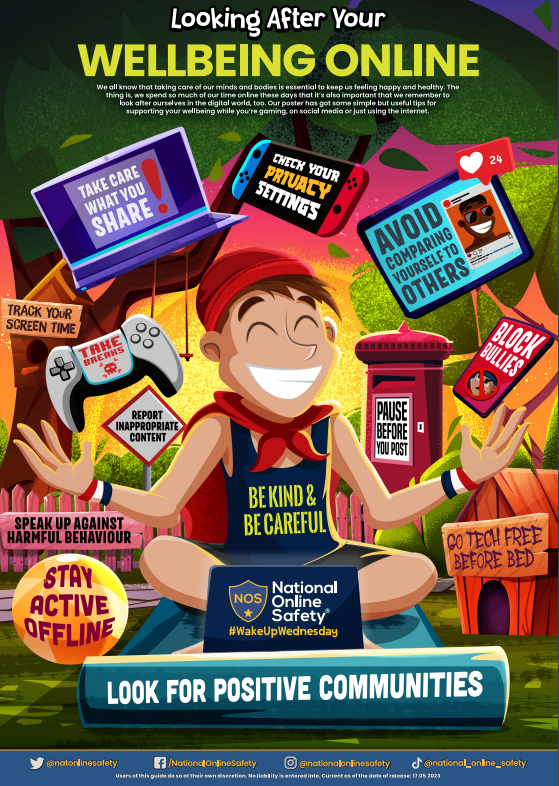
Take a look at the posters below to help you stay safe on social media and games.
Remember to look after yourself online!
Our Pupil Policy for Online Safety:
At Southbourne Junior School, we want to make sure that you feel looked after, safe and happy when you are in and out of school.
Internet safety is an important part of keeping you safe at our school. We have lots of safety measures in place, both in and outside of school, to help protect children.
Computers and mobile phones help us all to share things and talk to friends or family, but they can also make it easier for bullies and other people to hurt you or to get close to you. It is important to know how to keep yourself safe on your computer, your phone and on websites.
We can help you by:
• Teaching you what internet safety is.
• Teaching you what to do if you feel worried or scared.
• Making sure you know who you can speak to if you are worried. If you don’t understand something or have any questions about what you read, please ask your teacher for help.
What does online safety mean?
Online safety is about protecting children while they are online.
Online safety is an important part of our curriculum as it helps us to protect and educate you when you are using technology, as well as making sure we have tools in place to support you if things go wrong.
Computers and mobile phones help us all to share things and talk to friends or family, but they can also make it easier for bullies and other dangerous people to hurt you or to get close to you. It is important to know how to keep yourself safe on your computer, your phone and on websites.
The school will help if you are sent unkind messages or if someone on the internet has asked you to do anything that has made you feel uncomfortable.
If you are unhappy with any comments or photographs you have seen on your computer or mobile, you can tell a staff member in school.
Follow the SMART rules to keep safe online:
S - SAFE: Keep safe by being careful not to give out personal information to people, including your full name, address and phone number.
M - MEETING: Meeting someone you have only been in touch with online can be dangerous, you should never meet up with someone you have met online.
A - ACCEPTING: Accepting emails and instant messages or opening files, pictures or texts from people you don't know or trust can lead to problems and they may contain dangerous viruses. If you are not sure about something you have received, delete it and then find a grown up you trust and tell them.
R - RELIABLE: Remember that information you find on the internet may not be true, and that someone you are talking to online may be lying about who they are.
T - TELL: Tell your parents or a trusted adult if someone or something makes you feel uncomfortable or worried online. Examples of trusted adults could be your teacher or your headteacher.
See full policy in the attachments below!